Digital QR menus for restaurants

Your restaurant menu.
One scan away.

Create and publish a digital QR menu guests can open instantly—no app required. Update prices, items, and photos anytime, and every table always sees the latest version.

Instant QR accessLive menu updatesNo guest appAI-assisted setup

Start free with up to 3 menus. Built-in AI tools help you digitize and improve them faster.

See templates →

How it works

Create, publish, and update your QR menu in minutes.

1

Build your menu

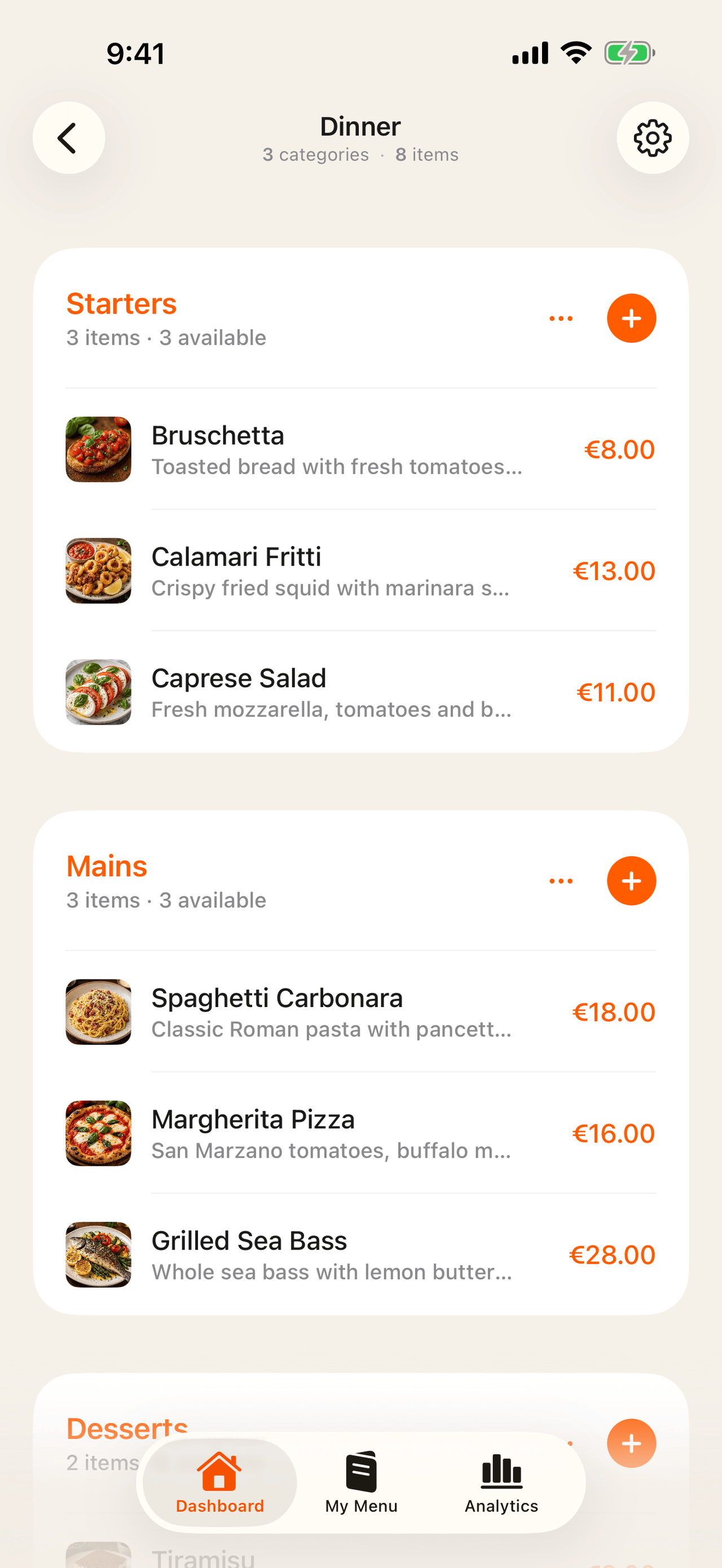
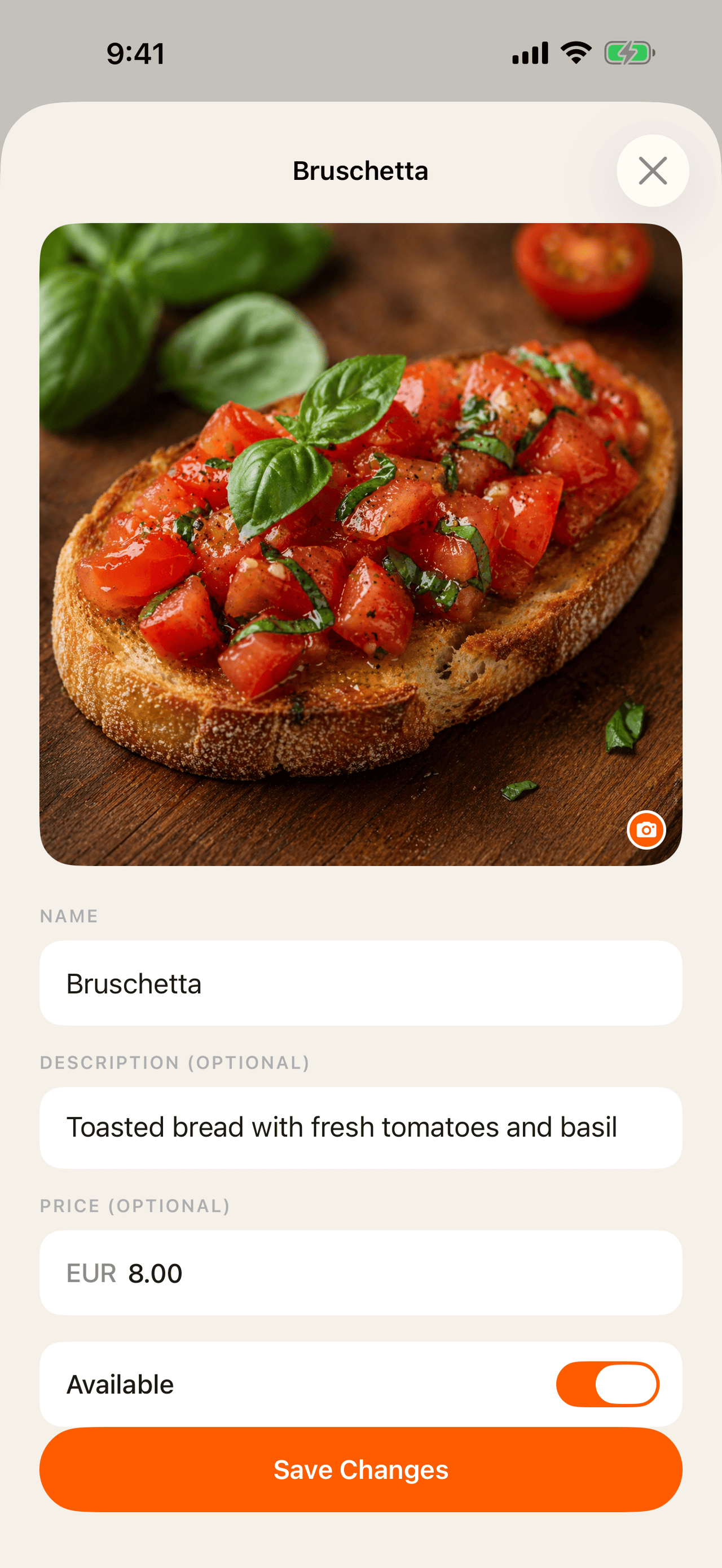
Add categories, items, prices, and photos in the editor—or photograph a paper-menu page and let AI create an editable first draft.

2

Make it yours

Choose a restaurant-ready template, add your logo and colors, set availability, and review optional AI suggestions before anything changes.

3

Share one QR code

Download or print your QR code. Guests scan it to open the latest menu in their browser—no app, account, or reprinting required.

One QR code. A menu you can improve anytime.

Start free on the web →

Manage everything from your iPhone or browser

Build, publish, and update your QR menu with templates, analytics, scheduling, and helpful AI tools.
Use the iPhone app or work directly in your browser.

Sign in →
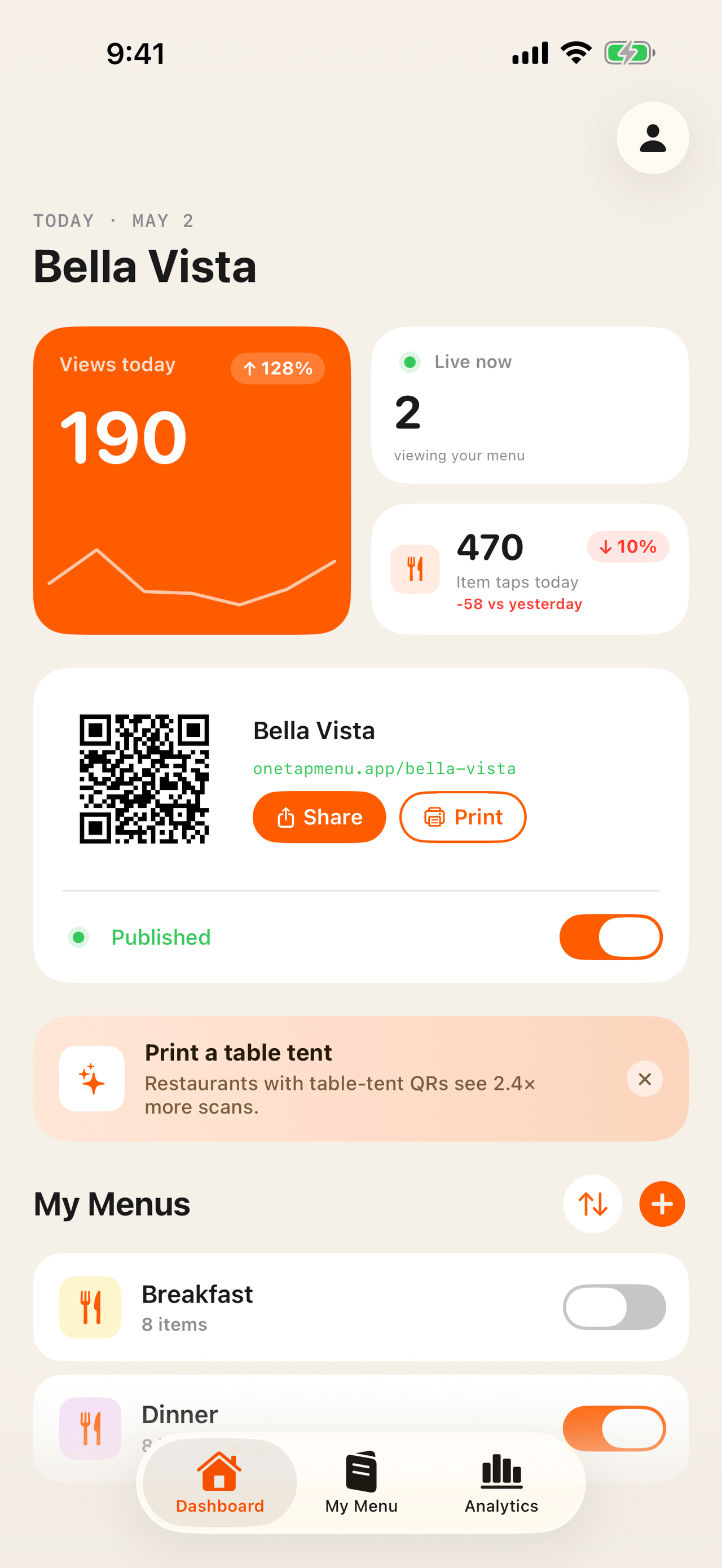
Dashboard
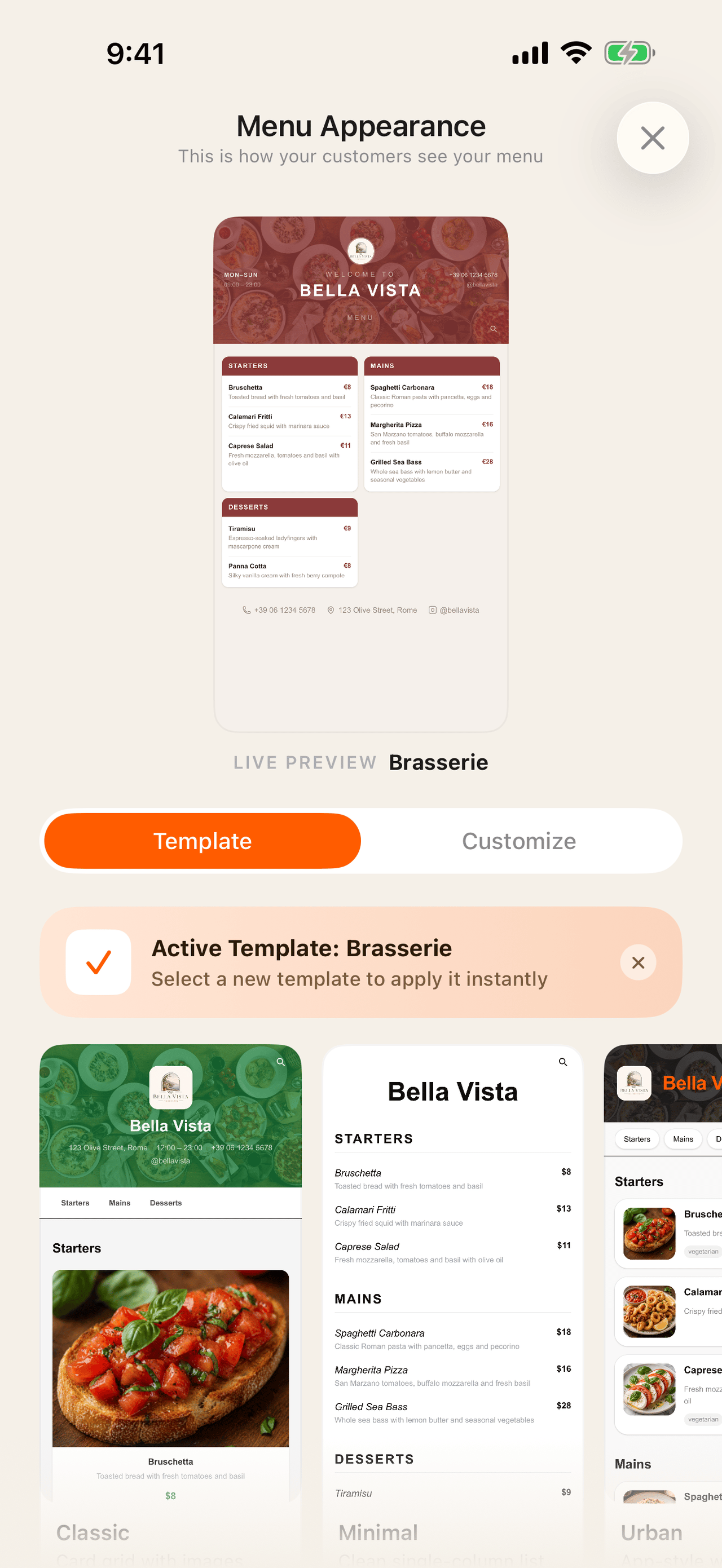
Templates
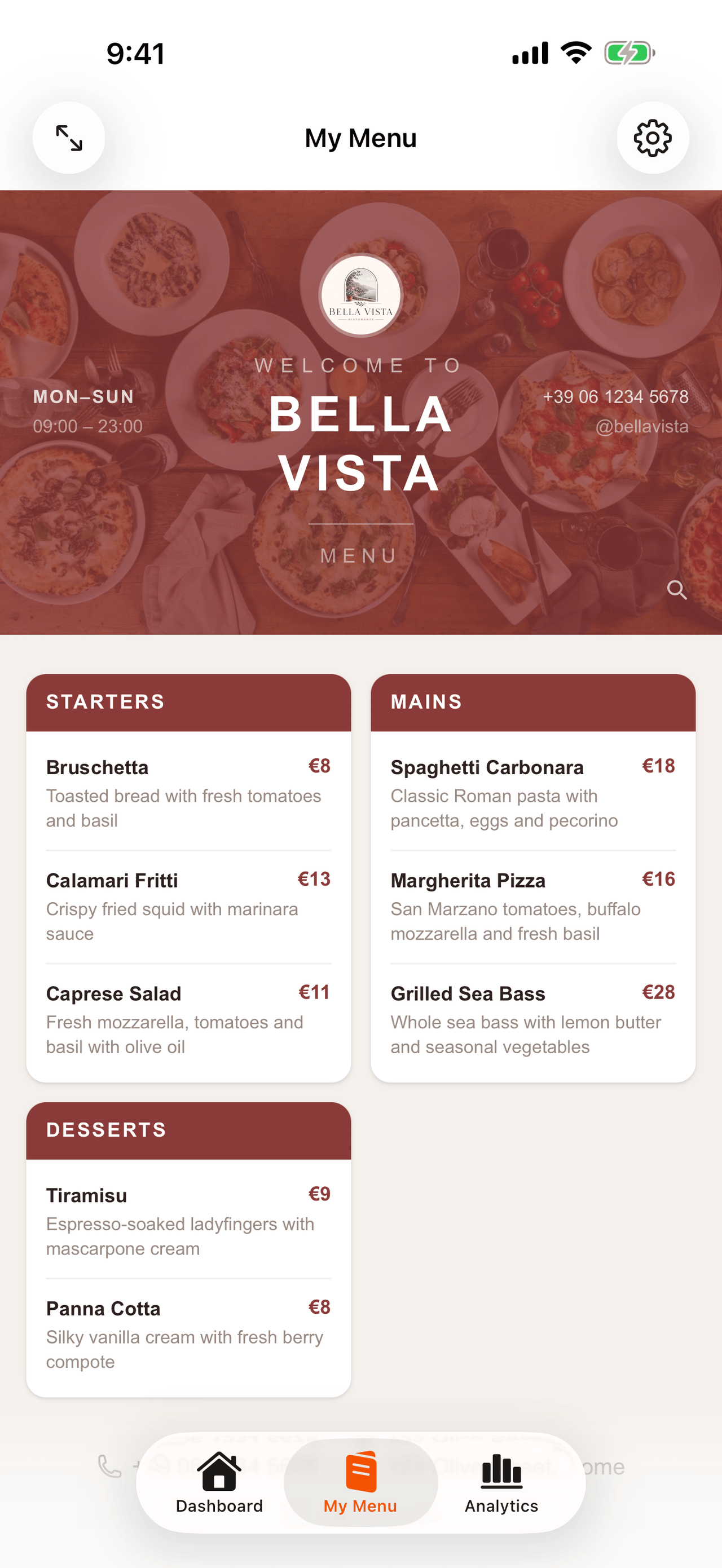
Appearance
Menu Builder
Item Editor
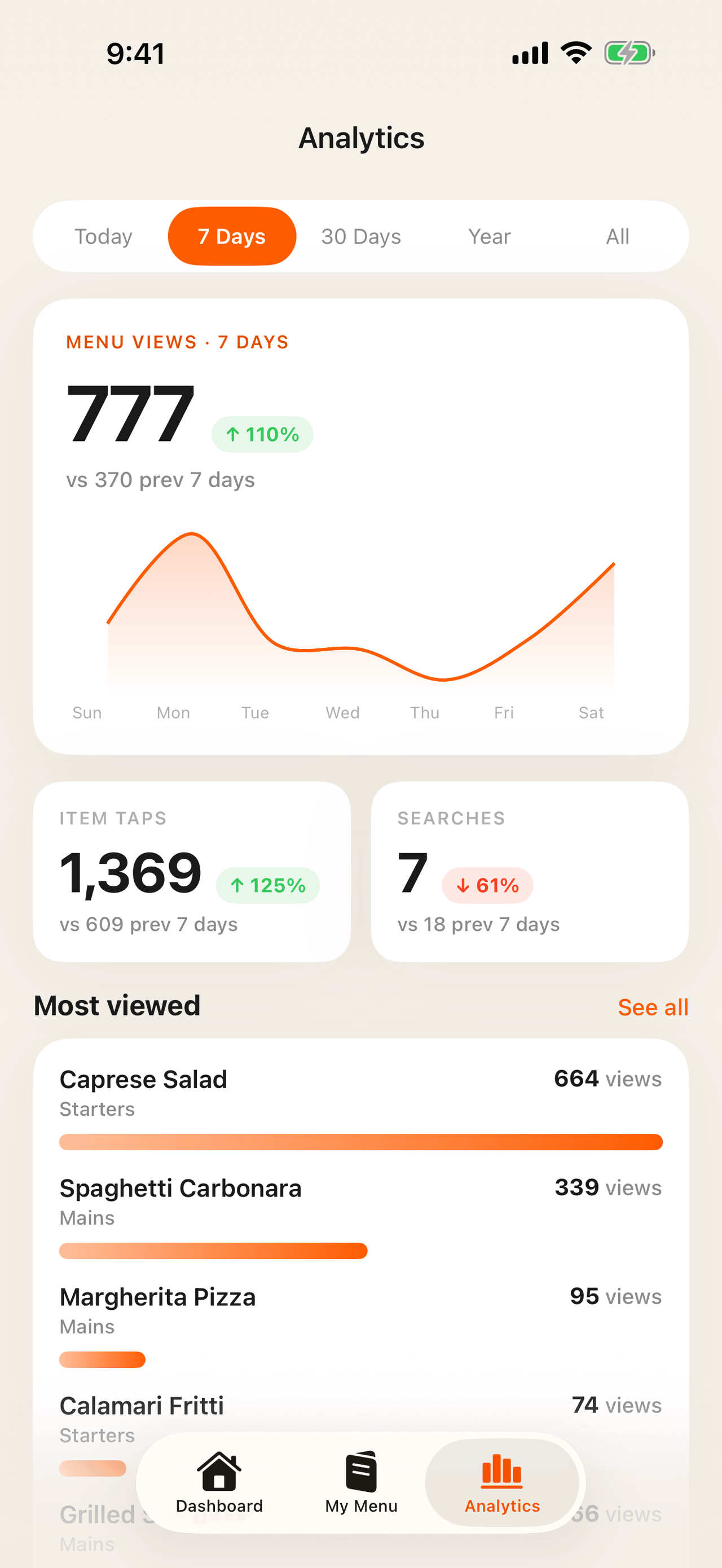
Analytics
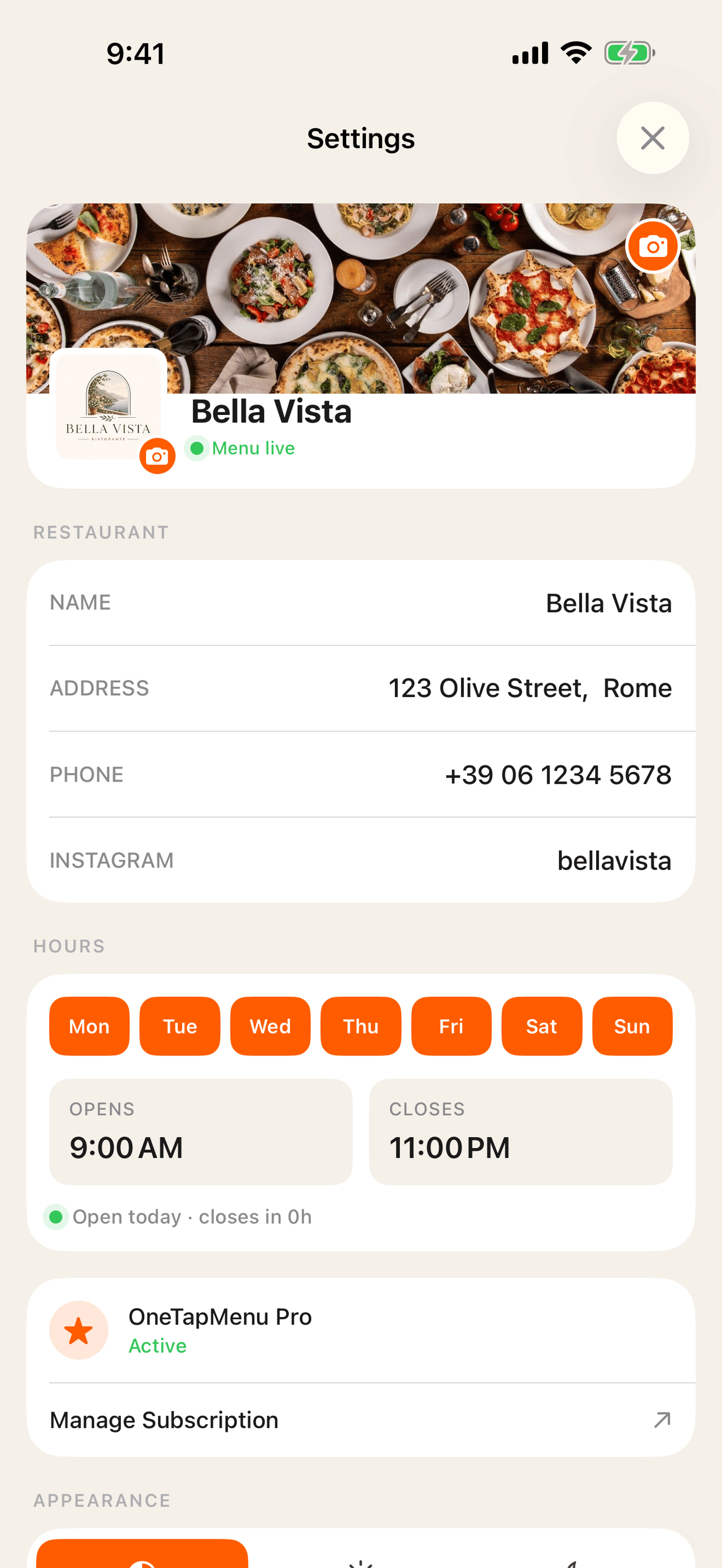
Settings

Everything you need

Built for restaurants that care about their guest experience.

📱

QR code in seconds

Generate, customize, download, and print. Put it on every table so guests can open your menu instantly in their browser. No app required.

⚡

Live updates, instantly

Change a price, add a photo, or remove an item. Every edit goes live instantly on your customers' phones. No reprints, no waiting.

🕐

Menus for every moment

Set a lunch menu at noon and a dinner menu at 6 PM. Your customers always see exactly what's available right now, automatically.

🎨

Make it yours

Upload your logo and cover photo. Choose from restaurant-ready templates and customize your colors to match your brand.

🇪🇺

Allergen information

Add all 14 official EU allergens plus dietary labels such as vegan, halal, kosher, and gluten-free. Your team remains responsible for verifying every label.

📊

Analytics & live viewers

See how many guests are on your menu right now and which dishes get the most attention. Built in, with no extra setup.

📸

Paper to digital with AI

Take or choose a photo of one paper-menu page at a time. AI imports what it can see into an editable menu. Always review imported details.

✨

A smarter menu review

AI-Clean checks spelling and descriptions in each item's original language, then suggests possible allergens and dietary tags for you to verify.

🍽️

Menu-ready food photos

Polish existing dish photos with AI and keep only what you approve. Pro can also create a draft item photo when one is missing.

🌍

Keep your menu's language

Create your menu in the language you serve. AI import and cleanup preserve the original language instead of translating it.

Share instantly

Edit and share your QR code online.

Your restaurant gets its own public URL. Generate a QR code in seconds, share it online or print it for every table. Any menu change you make goes live instantly. Guests always see the latest version.

  • ✓ Your own link: onetapmenu.app/your-restaurant
  • ✓ Share or print the QR code directly from the app
  • ✓ See who's on your menu live, right now
  • ✓ Published toggle: go live or pause anytime

Allergen transparency

Allergen & dietary labels, properly grouped.

Add the 14 official EU allergen categories and dietary labels such as vegan, halal, kosher, and gluten-free. Verify every label before publishing it for guests.

  • ✓ Gluten
  • ✓ Dairy
  • ✓ Eggs
  • ✓ Fish
  • ✓ Shellfish
  • ✓ Peanuts
  • ✓ Tree nuts
  • ✓ Soy
  • ✓ Sesame
  • ✓ Mustard
  • ✓ Celery
  • ✓ Sulphites
  • ✓ Lupin
  • ✓ Molluscs

Beautiful by default

Your menu should look as good as your food.

Pick from templates designed for restaurants. Match your brand colors, preview it on your phone, and switch whenever you feel like it.

  • ✓ Multiple styles to choose from, with more on the way
  • ✓ Change colors to match your restaurant's style
  • ✓ See exactly how it looks before your guests do
  • ✓ Switch templates without touching your menu

Know your menu

See what your guests are looking at.

Real-time viewer count, per-item view stats, search trends, and weekly comparisons. All built in. Find your most popular dishes and make smarter decisions.

  • ✓ Live viewer count: see who's on your menu right now
  • ✓ Most-viewed dishes ranked by tap count
  • ✓ Weekly and monthly trend comparisons
  • ✓ Search queries from your guests

Built-in AI assistance

Build and maintain your QR menu faster.
You make every final decision.

Once you are ready to create your digital menu, OneTapMenu can handle the repetitive parts: importing a paper page, reviewing copy, and improving food photography. Every result remains editable and needs your approval.

Explore the AI tools →
01Free allowance

AI paper menu scanner

Upload a clear photo and turn the visible categories, dishes, descriptions, and prices into an editable digital menu. Add another page whenever you are ready.

Preserves the menu’s original language and merges matching categories.

02Free allowance

AI-Clean menu review

Polish spelling, punctuation, and awkward descriptions without translating the menu or inventing dish details. Review every proposed edit before applying it.

Possible allergen and dietary tags are suggestions with evidence—not automatic claims.

03Free allowance

AI food photo enhancer

Improve lighting, color, and clarity for existing item photos one at a time. Compare the original and enhanced versions before deciding what reaches your menu.

Skipping a result leaves the original photo untouched.

04Pro

AI menu photo generator

Create a professional square food photo from an item’s name, description, category, and tags when you do not already have one.

The result stays a draft until you choose it and save the item.

Free: 5 shared AI requests per day for importing, cleaning, and enhancing.

Pro: Unlimited AI requests plus item photo generation.
Browse templates.
Go live in minutes.

Every template is built for restaurants and fully customizable: colors, logo, cover photo. Pick one and you're live.

Browse templates →

Questions, answered

Digital QR menu FAQ

What is a digital QR menu?

A digital QR menu is a restaurant menu guests open by scanning a QR code. OneTapMenu opens directly in their browser, so they do not need to install an app or create an account.

Can I update my menu without printing a new QR code?

Yes. Keep the same QR code and change prices, descriptions, photos, availability, or entire menus whenever you need. Published changes appear on the live menu.

Can I turn my paper menu into a digital menu?

Yes. Upload one clear paper-menu page at a time and OneTapMenu can create an editable draft from the visible categories, items, descriptions, and prices. Review the result before publishing because AI can make mistakes.

Which AI tools are included for free?

Free accounts receive five shared AI requests per day for paper-menu import, AI-Clean, and food photo enhancement. Pro includes unlimited AI requests and adds AI-generated item photos.

How many menus can I create for free?

The free plan includes up to three menus with unlimited items, a QR code, free templates, basic analytics, and live updates.

Get in touch

Have a question or want to list your restaurant? We'd love to hear from you.